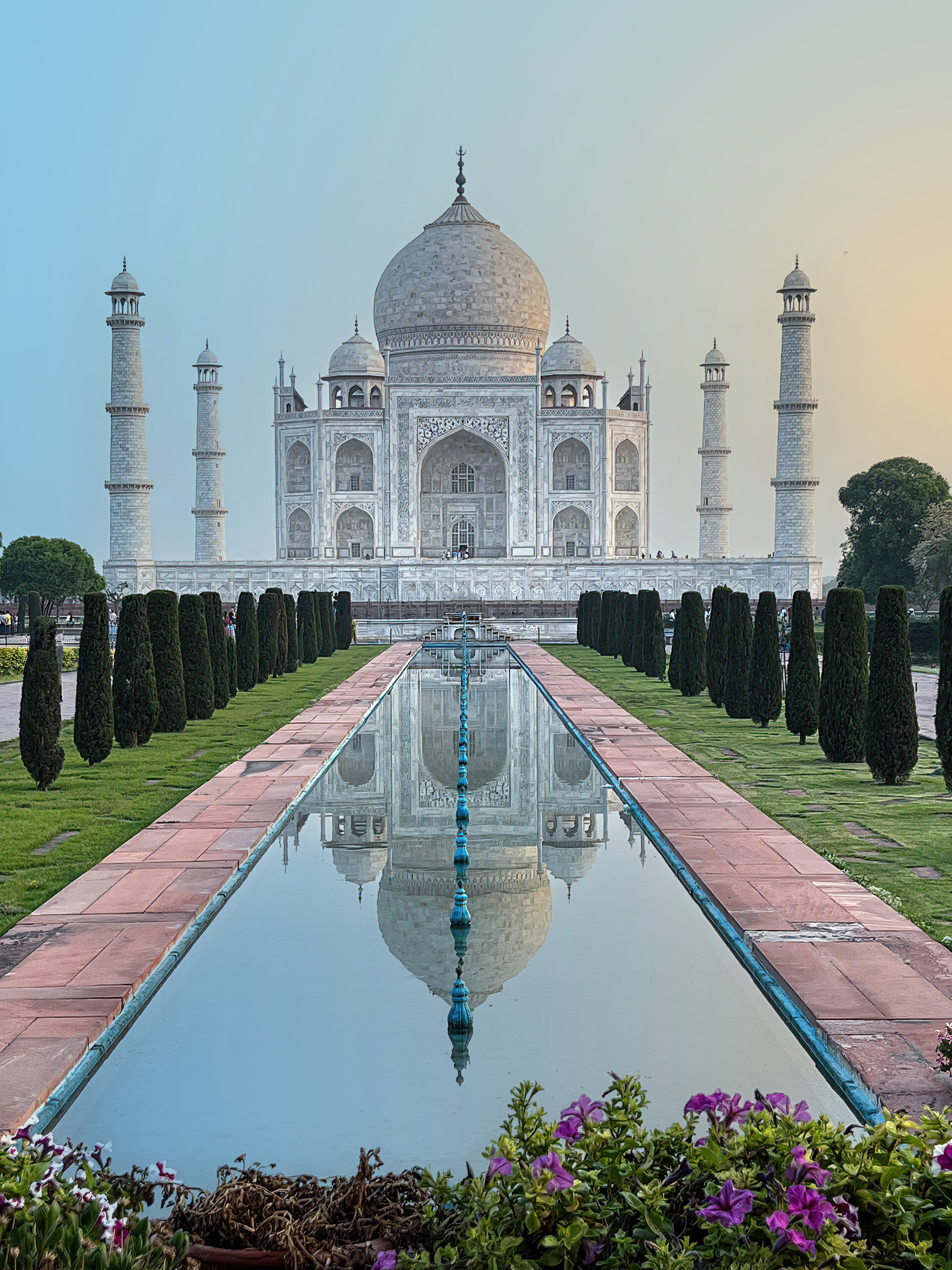
While experimenting with Sue’s Taj Mahal picture I came upon a real simple way of adding a simple gradient from orange-yellow to pale-blue.
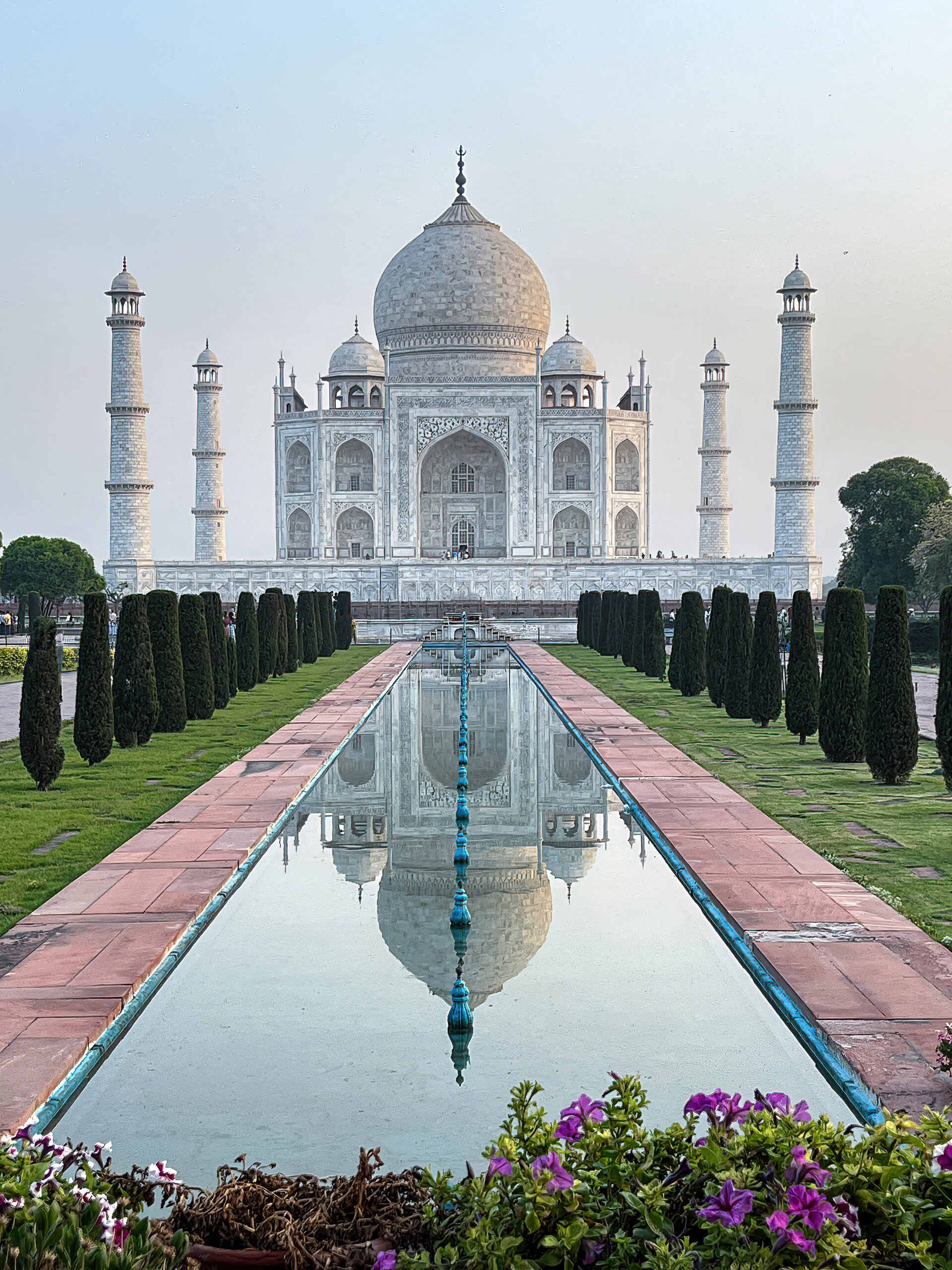
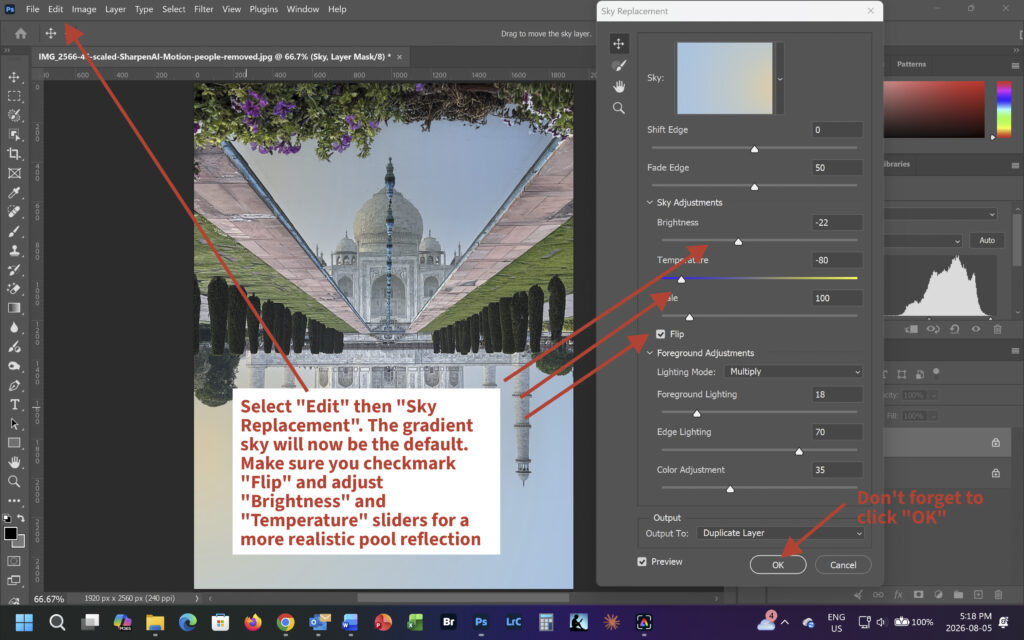
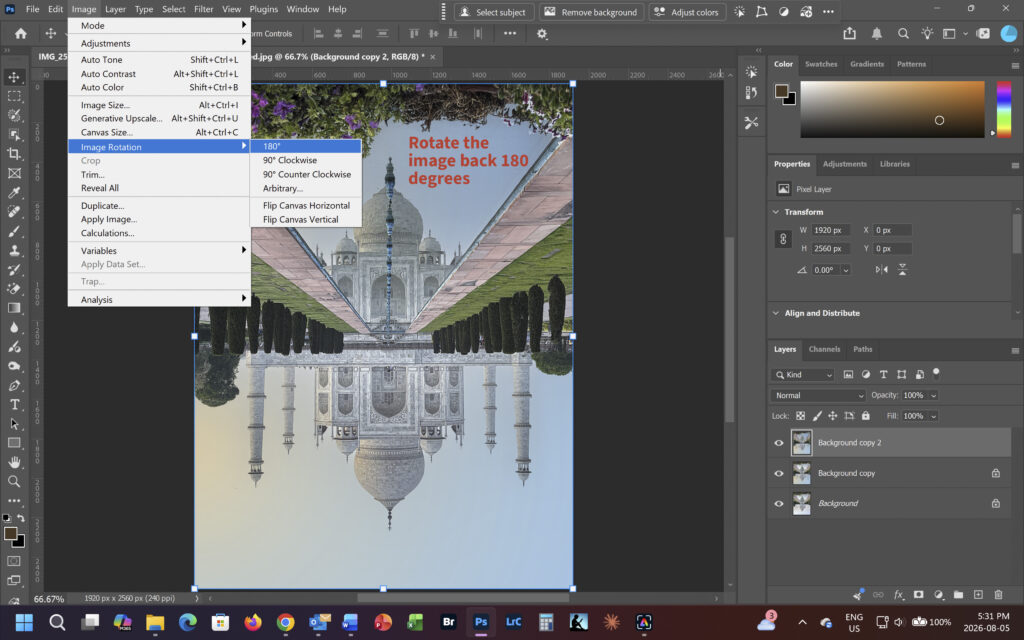
Here is Sue’s image with the hoards of people removed, but with the original sky. I sharpened in Topaz for better results when replacing the sky. Notice the warm orange-yellow reflection on the right side of the building. The object is to replace the sky and the reflection in the pool with a standard radial gradient where the right side colour is changed to pale orange-yellow and the left side is changed to pale blue. I will use the same gradient image in the reflecting pool but darken the exposure there and change the color temperature a bit to make the reflection more realistic.
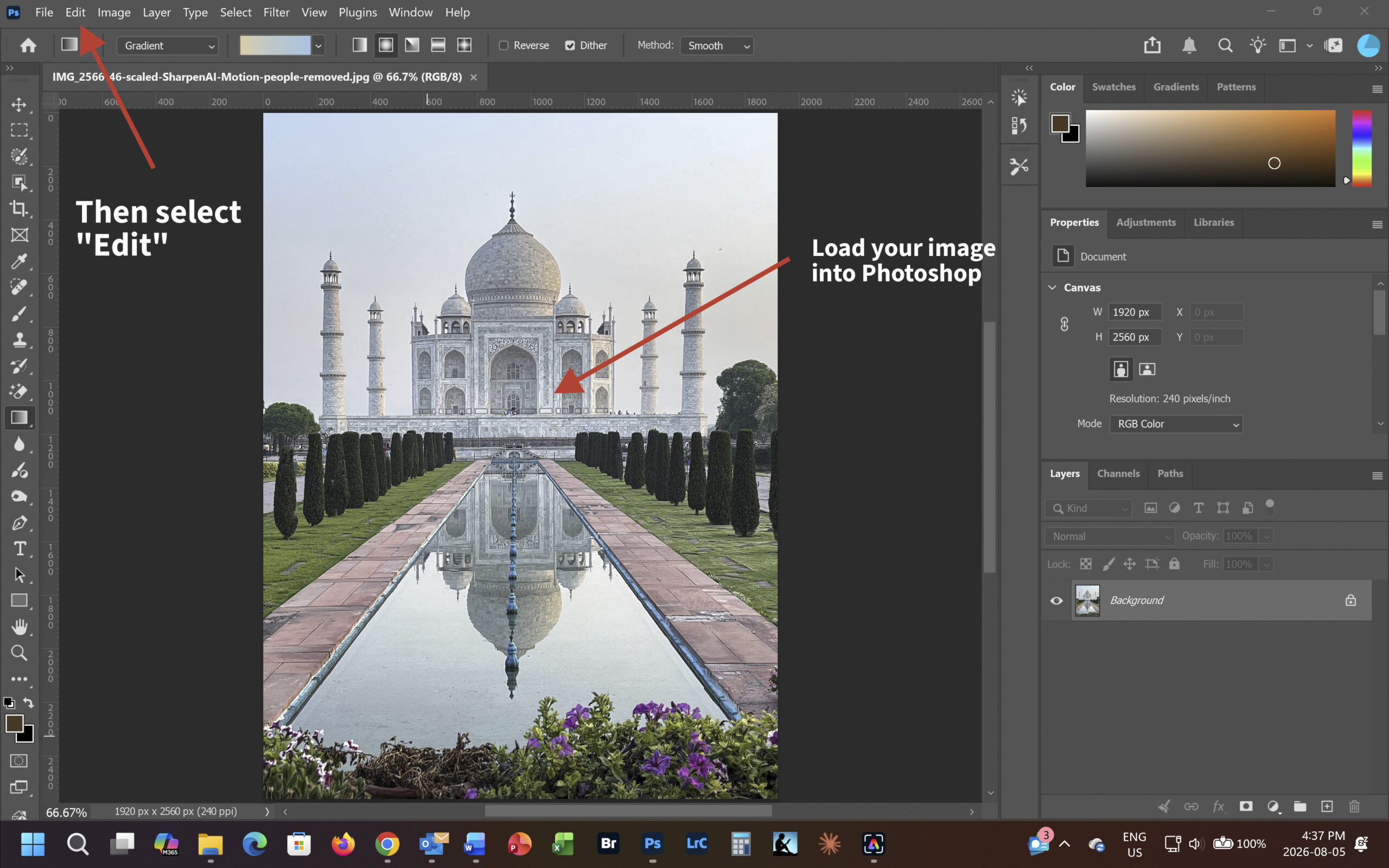
Select “Sky Replacement” from the drop down menu
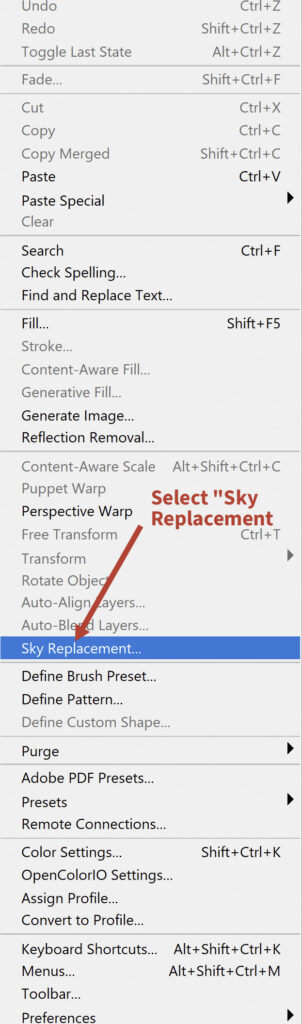
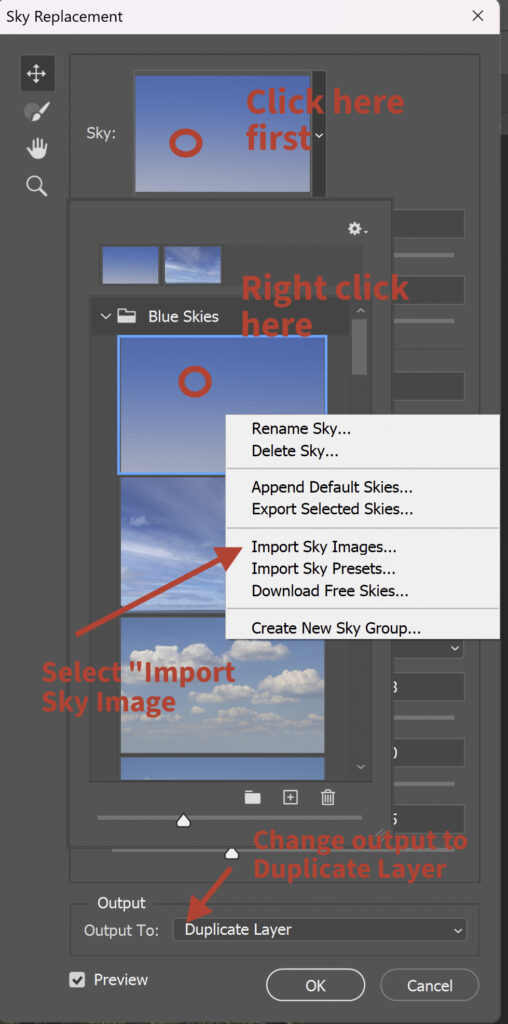
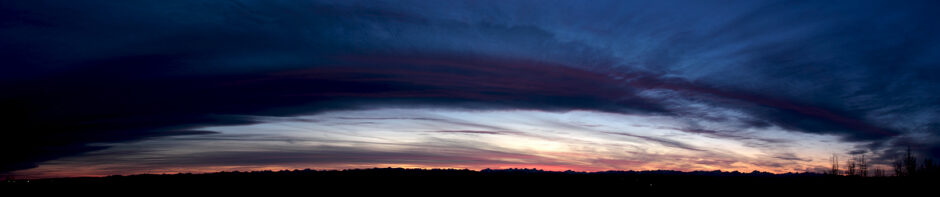
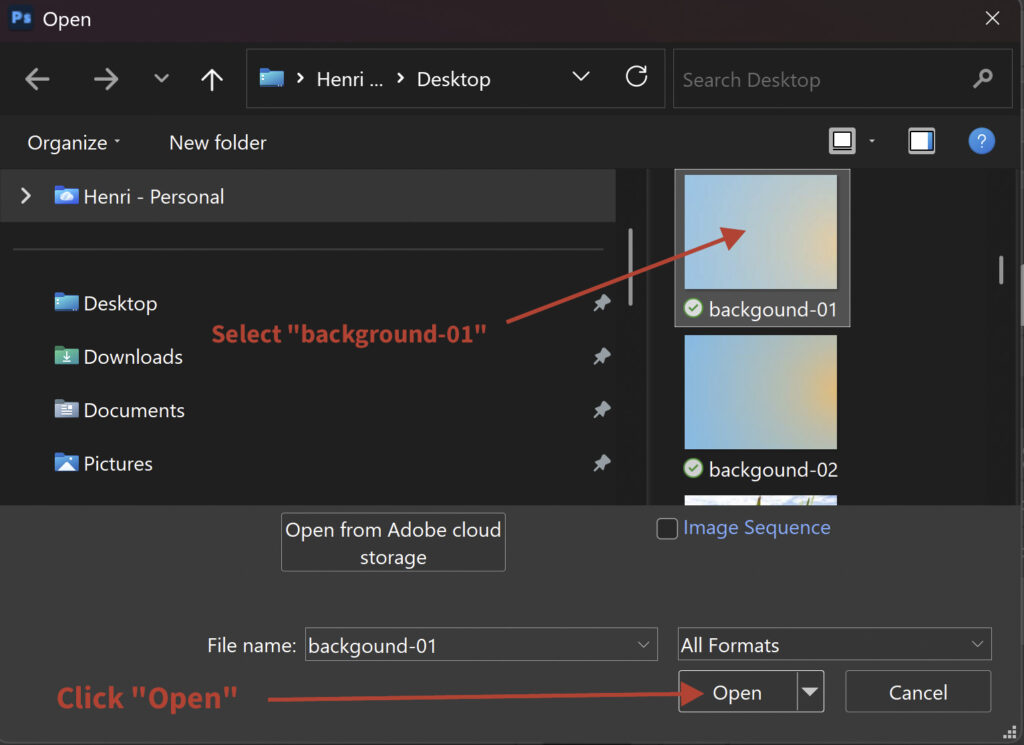
The “Sky Replacement” menu give you an option to import a sky image. I have created a suitable gradient and saved it as a jpg file which can be imported into the “Sky Library”. The image below this menu can be downloaded by right clicking it.

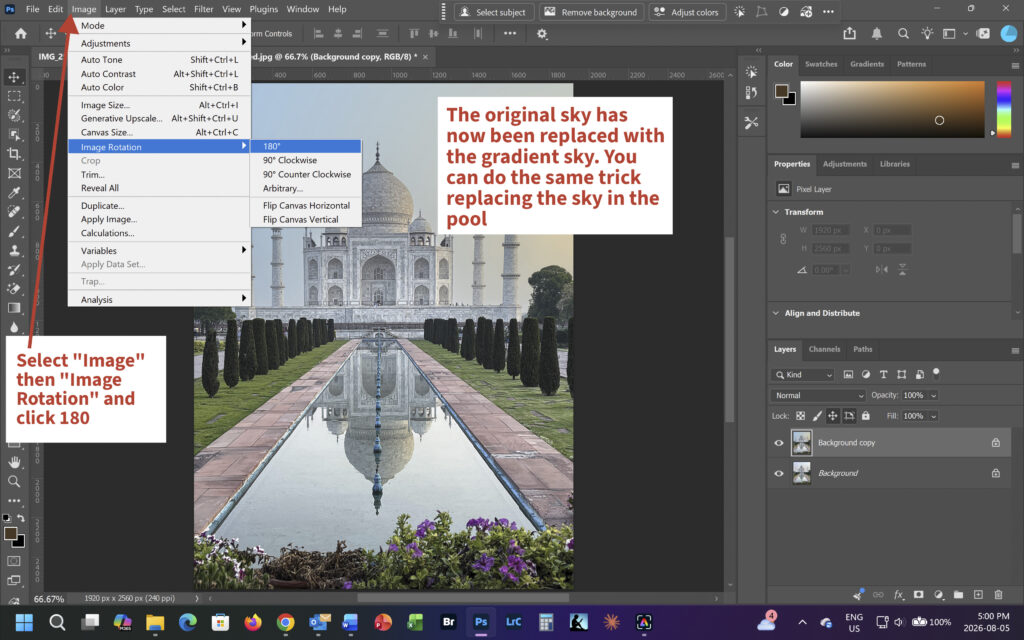
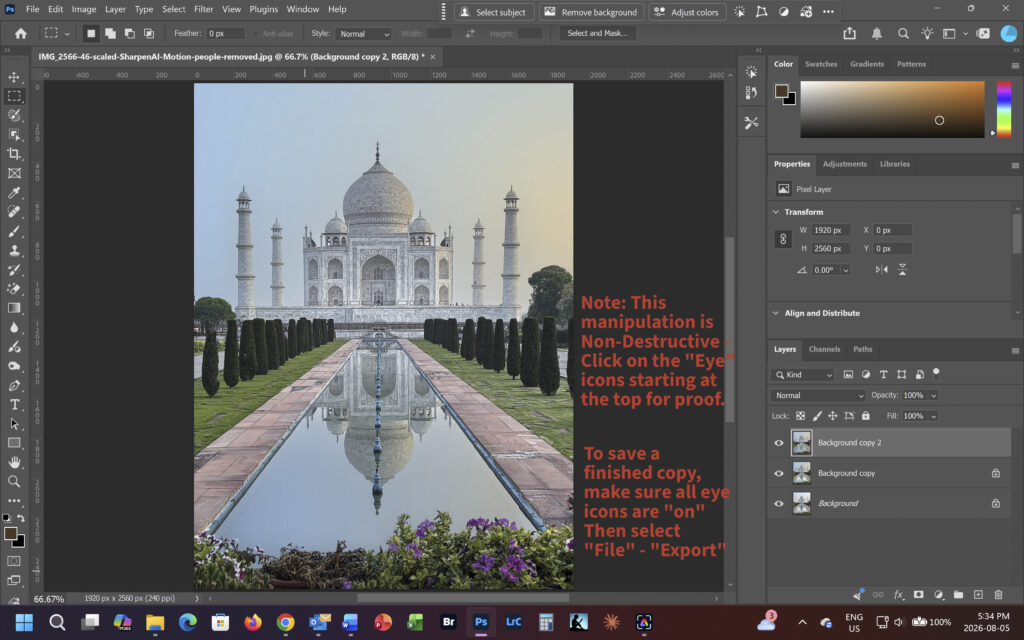
Here is the finished image. Click on it for a full screen version in a separate window.